

cortex deployment on Cerebrium, waiting for a build to complete can be time-consuming. To speed up your development process, you can use the cerebrium serve command to rapidly iterate on your deployment.
This allows you to run your deployment on a dedicated server, and see the results of your changes in a few seconds.
Limitations:
- Build process (packages, apt, etc.) changes require a full restart of the served instance
- Serve sessions are not cached meaning a full build process is done even when environments have not changed between sessions
- Reponses are not returned via the Local API server
Usage
To start a served instance, first navigate to the root folder of your cortex deployment. Then, simply run the following command in your terminal:cerebrium serve start command, it will start up an instance and create your environment. ie: install all your requested packages and dependancies.
Once completed, it will output a URL that you can use to query your instance locally - mimicing a production endpoint.
Local API Server
Since we are using a local API server, you don’t need to worry about providing an API key in the Authorization header. Your served instance will be running on port 7900 by default, however, you can change this by using the--port flag when you start a served instance
You can make a request to your local endpoint using:
File Changes
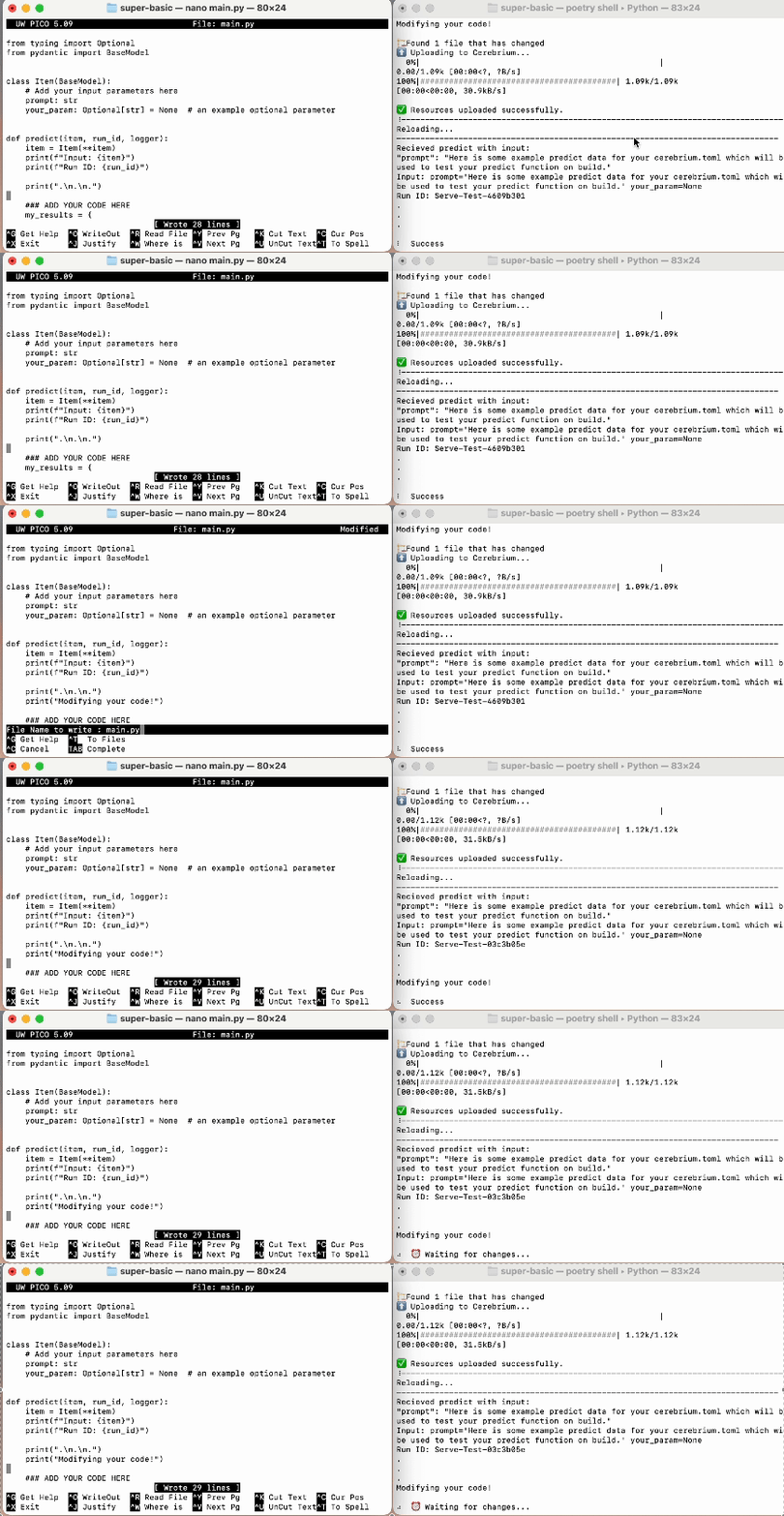
As you save changes to your main.py or add/delete files in your directory, the instance will automatically update in a few seconds (unless some files you add are in the GB’s) and new changes will be live that you can inference. If you would like to make changes to the environment, ie: hardware, pip/apt packages etc then you will need to restart the serve instance which you can do by pressingCtrl+C and running the start command again.
Please note that you are charged for your compute as long as serve is running.
ie: If you are running serve for 8 minutes, you will be charged for 8 minutes
of compute based on the hardware requirements you specified. It is very
important to end your sesssion when done. We will automatically end the
session after 10 minutes of inactivity.
How it works
When you runcerebrium serve start, the following happens:
- The
cerebriumCLI uploads your deployment to a dedicated instance(s). - The server builds your deployment in the same way as
cerebrium deploy. - The server starts your deployment and waits for you to send in requests.
- If you make changes to your main.py or other code in your deployment, the server reloads your deployment and applies your changes without rebuilding the entire deployment.
- When you’re done, you can stop the server by pressing
Ctrl+Cin the same terminal where you started the server.